
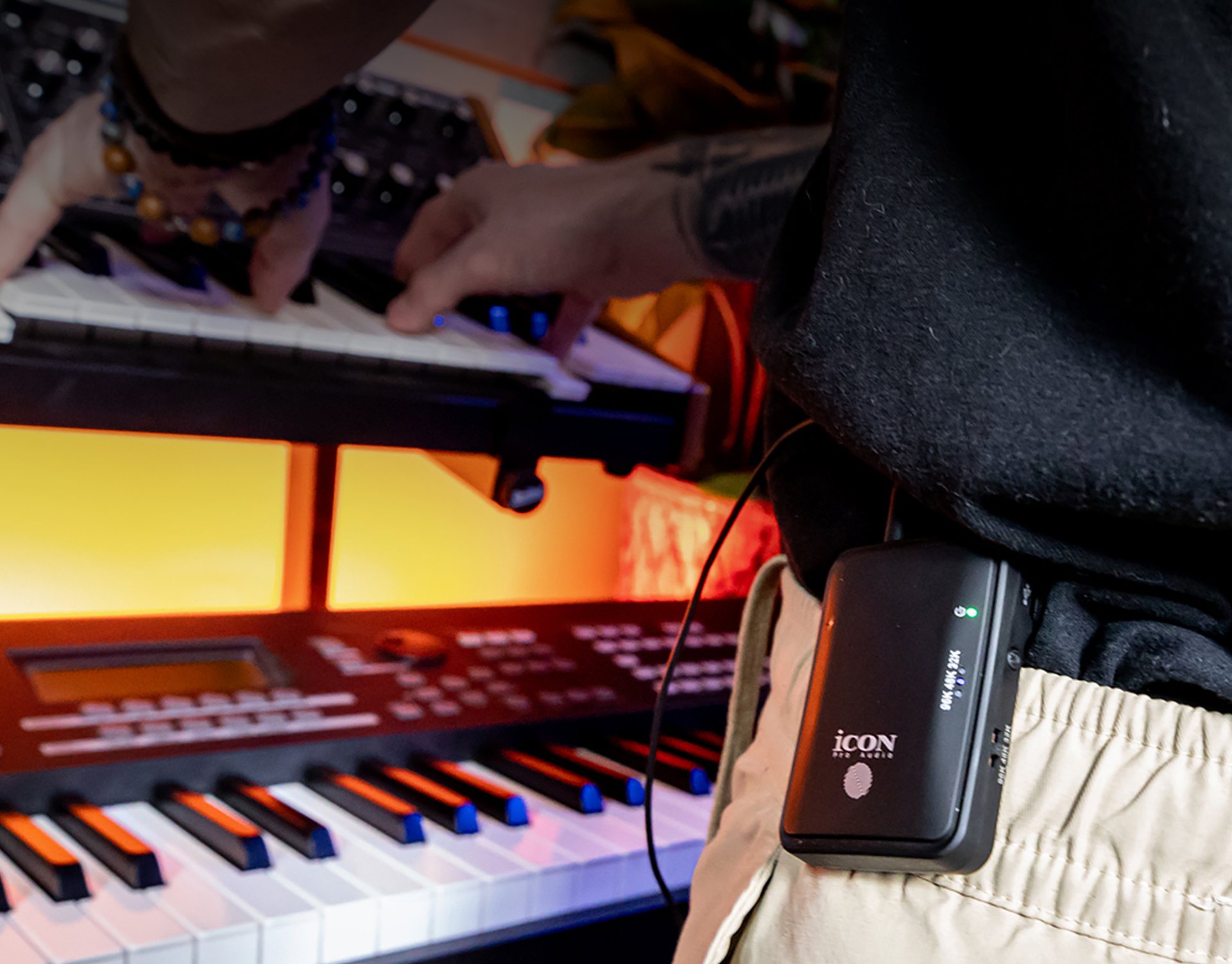
Studio headphones are a must-have for musicians, producers, and content creators. They deliver accurate sound, comfort for long sessions, and the detail needed to make professional decisions while mixing and recording. But there’s one drawback: almost all studio headphones are wired.
Cables can limit your movement, get tangled during a session, or even wear out over time. That’s where the Airmon Pro by iCON Pro Audio comes in. This compact wireless transmitter and receiver system allows you to transform any pair of wired studio headphones into high-quality wireless headphones — without compromising on sound.
Unlike typical Bluetooth adapters, the Airmon Pro transmits uncompressed, full-range audio with ultra-low latency, preserving every detail of your mix, performance, or playback. Whether you’re monitoring in the studio, tracking live instruments, or just listening to music, the audio remains clean, punchy, and true to source.
Recording and mixing often involve moving around your space — grabbing an instrument, adjusting gear, or stepping back to listen in the room. A wired setup can restrict you, making your workflow less fluid. By making your studio headphones wireless, you:
Gain freedom of movement without being tied to a desk
Avoid cable wear, tangles, and accidental disconnections
Keep the sound accuracy you expect from professional headphones
Stay comfortable during long sessions
For musicians who track vocals or guitar, being wireless means fewer distractions and a cleaner workspace.
While most studio headphones are built with cables to ensure consistent sound quality, many creators are looking for ways to go wireless. The good news is that there are now adapters and wireless systems that let you keep using your favorite wired headphones without having to buy an entirely new pair. These solutions focus on delivering low-latency, high-fidelity audio so that musicians, producers, and content creators can enjoy freedom of movement without losing the accuracy that studio work requires.
The Airmon Pro is designed specifically for audio creators who want to keep their trusted studio headphones but enjoy wireless convenience. Unlike consumer Bluetooth adapters, the Airmon Pro prioritizes low latency and audio fidelity — two things critical for professional work.
Key benefits include:
Ultra-low latency for real-time monitoring
Stable wireless connection that won’t cut out mid-session
Easy plug-and-play setup with almost any pair of headphones
Compact and portable design for studio, rehearsal, or live use
This makes it more than just a Bluetooth adapter — it’s a tool built for recording and production environments.
The process is simple and takes only a few minutes:
Connect the Airmon Pro transmitter to your audio source — this could be your audio interface, mixing console, or even a laptop.
Plug the Airmon Pro receiver into your studio headphones.
Power them on, pair them, and you’re ready to monitor wirelessly.
Because the system is designed for professional audio, you don’t have to worry about lag ruining your timing when tracking or mixing.
In the Studio – Move freely while recording vocals, guitar, or drums without worrying about cable length or tangles.
At Home – Turn your favorite mixing headphones into a wireless set for casual listening, content creation, or late-night practice.
On Stage – Performers can use wireless headphones for backing tracks, monitoring, or rehearsals with no cables to trip over.
Keep the transmitter and receiver within line of sight for the strongest connection.
Charge both units fully before long recording sessions.
Use high-quality studio headphones so you get the most out of the Airmon Pro’s wireless fidelity.
Test different positions in your studio to find the best range and performance.
With the Airmon Pro by iCON Pro Audio, you no longer have to choose between the accuracy of your studio headphones and the convenience of wireless listening. This simple system lets you keep the headphones you trust while adding the freedom and flexibility of a cable-free setup.
Whether you’re mixing in the studio, practicing at home, or performing live, the Airmon Pro makes it easy to make any studio headphones wireless — without compromise.
Subscribe to our mailing list to stay up to date with the latest product news, updates, and information.