
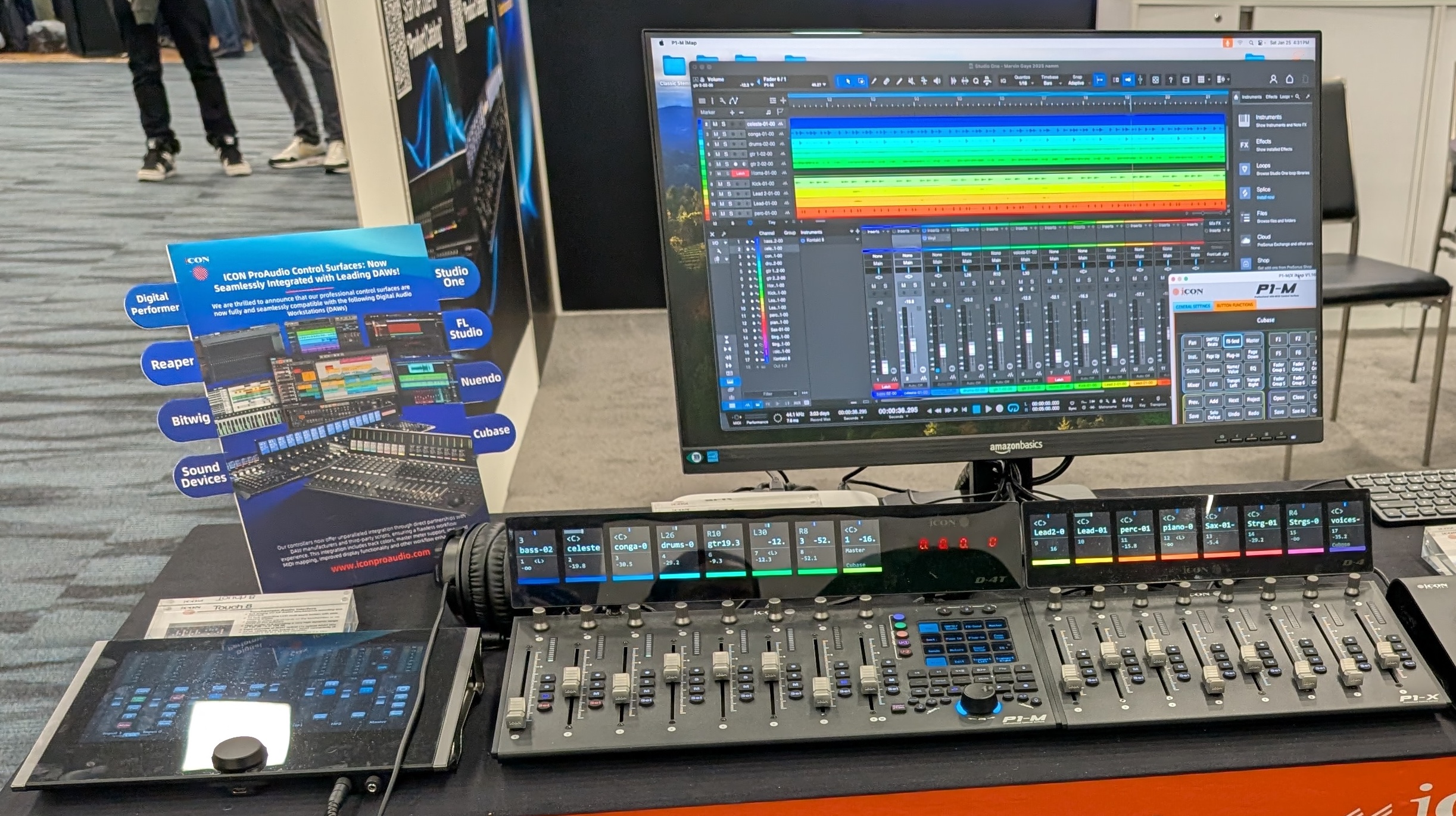
If you’re using iCON Pro Audio’s V1-M, P1-M, or P1 Nano DAW controllers with PreSonus Studio One, you might feel limited by the default Mackie Control implementation. Enter Paul Henty – a software engineer who transformed frustration into innovation with custom scripts that unleash these controllers’ full potential. As Henty explains:
“I was disappointed that the Studio One Mackie implementation wasn’t taking full advantage of the iCON P1-M hardware. I could see the potential for a much better experience using this controller, so, being a software engineer I set about figuring out how to write my own scripts to drive the unit to its full potential.”
The result? A feature-packed upgrade that transforms your mixing experience in Studio One 6 or 7. Here’s why these scripts are a game-changer:
Precision Metering: Accurate, properly scaled meters with master meter support (stereo on V1-M) and optional gain reduction display for compressors and limiters
Enhanced Visual Feedback: Track colors, automation mode indicators, and 4-line lower displays for richer metadata
Intelligent Navigation: “Locate” button jumps to selected tracks, banking syncs with extender units, and Studio One console keeps the selected controller track in view
Plugin Superpowers: Map plugin parameters to faders and select buttons (not just encoders!) plus the ability to map additional controls (up to 192 mappable plugin parameters on V1-M/P1-M and 136 mappable parameters on P1 Nano) via paging
Optimized Workflow: Cleaner timecode display and zoom-aware jog wheel (Studio One 7 only) with fine-adjust toggle
VCA/Bus Spill: Filter surfaces to show only channels routed to a selected bus/VCA
Cue Mix/Macro Control: Directly manipulate cue mixes and channel macros
Expanded Send Control: Manage pre/post-fader sends, panning, and routing
Input Gain Access: Adjust channel input gain and polarity from the surface
Deep Plugin Integration: Comprehensive control beyond standard MIDI mapping
Explore Paul’s detailed tutorials and demonstrations:
P1-M & V1-M Playlist
(Highlights: Plugin mapping deep dives, VCA spill demonstrations, meter behavior comparisons)
P1 Nano Playlist
(Highlights: Compact workflow optimizations, transport customization, Nano-specific mappings)
Maximize your Studio One Experience with iCON’s DAW controllers:
Henty’s scripts bridge the gap between Studio One’s powerful features and iCON’s hardware capabilities. By leveraging every button, fader, and display, you gain tactile control over complex functions – from plugin parameter diving to VCA group management. The optimized navigation and visual feedback alone can slash mixing time while reducing screen dependency.
Pro Tip: Studio One 7 users gain exclusive jog wheel enhancements where zoom level dynamically adjusts navigation granularity.
Paul’s scripts (available via his forum) redefine what’s possible with iCON controllers in Studio One. Whether you’re mixing on the full-size V1-M, the right-sized P1-M, or space-saving P1 Nano, these customizations deliver a pro-level, hardware-integrated experience far beyond stock implementations.
Explore the playlists, tweak your setup, and experience the liberation of a controller that finally speaks Studio One’s language fluently.
Subscribe to our mailing list to stay up to date with the latest product news, updates, and information.