
Find Your DAW: iCON V Series & P Series Controller Feature Compatibility
Not all DAWs work the same with iCON controllers. Our chart compares protocol support (MCU, HUI), DAW-specific functions, and feature limitations—so you know exactly what to expect before you mix or automate.
This page details how iCON V Series and P Series control surfaces integrate with your Digital Audio Workstation (DAW). It includes a comprehensive feature comparison chart, outlining which controller functions—such as Track Colors, Master Meter LED, and Master Fader—are supported in different DAWs.
Whether you use Pro Tools, Logic Pro, Cubase, Ableton Live, or other major DAWs, this resource helps you understand the full capabilities of your iCON controller within your preferred workflow.
How iCON Pro Audio Control Surfaces "Talk" to your Digital Audio Workstation
iCON control surfaces communicate with Digital Audio Workstations (DAWs) using three industry-standard protocols:
MCU Mode (Mackie Control Universal)
The standard for most DAWs (Logic, Cubase, Ableton Live, etc.).
Supports comprehensive control: faders, transport, plugins, and two-way feedback (your DAW updates the controller’s displays in real time).
HUI Mode (Human User Interface)
A legacy protocol (developed by Mackie/DigiDesign) primarily for Pro Tools.
Enables full mixer-style control (faders, transport, panning).
MIDI Mode
Simplified control exclusively for instrument parameters via faders, encoders and buttons (e.g., expression, velocity, pitch bend).
⚠️ Not for mixing: Does not control audio tracks, track selection, or automation.
Official Statement on Third-Party Script Support for iCON DAW Controllers
At iCON Pro Audio, we’re committed to giving creators flexible, reliable tools that integrate seamlessly into a wide range of creative workflows. Our DAW controllers are designed to be as universal as possible, supporting the Mackie Control Protocol (MCP) used by many leading Digital Audio Workstations (DAWs).
However, certain functions—such as track color feedback and master meters—are not transmitted through the standard Mackie Control Protocol. This limitation isn’t unique to iCON products; it affects all third-party controllers using the MCP standard. Each DAW manufacturer implements this protocol differently and determines which data can be shared externally.
Some DAWs, such as Bitwig and Digital Performer, have developed deeper collaborations with iCON, allowing for more advanced integration through custom implementations or our iMap software. Other DAWs have not yet extended support to that level, which is why some features may not behave identically across platforms. We fully understand how this can be frustrating, and we appreciate the patience and creativity of our users as we continue working toward broader compatibility.
In response, many talented members of the iCON user community have developed third-party scripts that expand functionality beyond what’s possible with standard MCP. iCON recognizes and appreciates these efforts. While we may endorse certain community scripts for their usefulness, they remain the property and responsibility of their individual developers.
Please note that iCON Pro Audio cannot provide official technical support for these third-party scripts. Any bug fixes, updates, or maintenance are managed independently by their respective authors.
We’re continually exploring new ways to deepen our integrations and improve the creative experience for all users. Your feedback helps guide these efforts—thank you for being part of the iCON community.
Key Things to Know:
Not all DAWs behave identically under MCU/HUI due to the varying implementations designed by the DAW manufacturers.
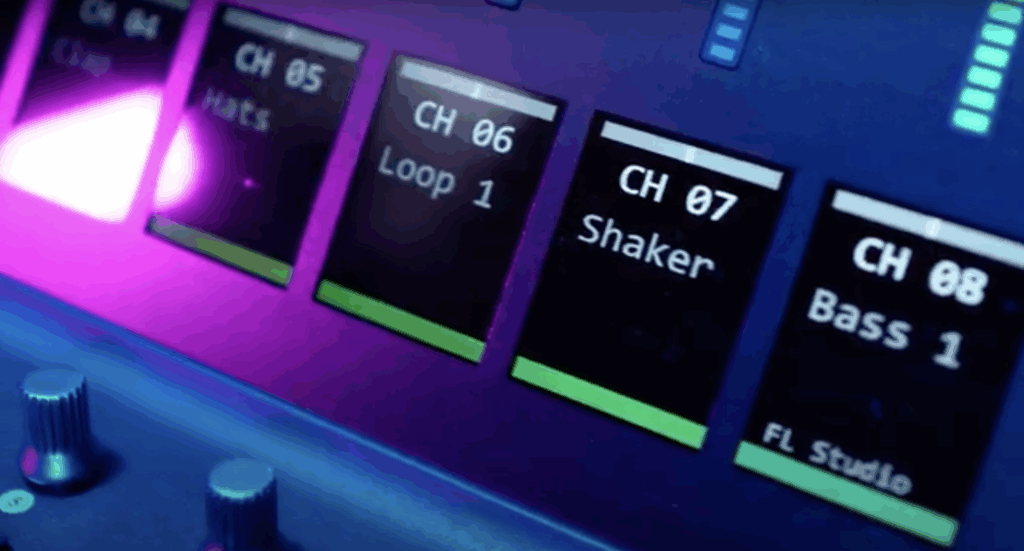
iCON’s unique features (like the V1-M’s dual TFT scribble strips) require DAW support to function:
Some DAWs (e.g., Bitwig, MOTU’s Digital Performer) have partnered with iCON to offer native compatibility.
Others rely on community-driven scripts for full functionality.
Traditional limitations (track colors, master meters) may still apply where scripts or DAW manufacturer support are not currently available.
About This Chart:
This comparison shows exactly which iCON controller features work with your DAW. We’ll update it as new partnerships or scripts expand compatibility!
-
Ability
#3 Lorem ipsum dolor sit amet, consectetur adipiscing elit, sed do eiusmod tempor incididunt ut
labore et dolore magna aliqua. -
Ableton (1)
Advanced Touch Screen
-
Ardour
-
Audition
#2 Lorem ipsum dolor sit amet, consectetur adipiscing elit, sed do iusmod tempor incididunt ut
labore et dolore magna aliqua. -
Bitwig
-
Cakewalk
-
Cubase (2)
-
Digital Performer
-
FL Studio (3)
-
Harrison Mixbus
-
Logic Pro (6)
-
Luna
-
Nuendo (2)
-
Pro Tools
-
Reaper (4)
-
Reason
-
Samplitude
-
Studio One (5)
-
Tracktion
-
(1) With Ableton Script by XFada(1) With Ableton Script by XFada
-
(2) With Cubase MIDI Remote Script by bjoluc(2) With Cubase MIDI Remote Script by bjoluc
-
(3) With FL Studio Script by XFada(3) With FL Studio Script by XFada
-
(4) With Reaper Script by Driven by Moss(4) With Reaper Script by Driven by Moss
-
(5) With Studio One Script by Paul Henty(5) With Studio One Script by Paul Henty
-
(6) With Logic Pro Official Script (Public Beta)
New
(6) With Logic Pro Official Script (Public Beta)