
Your hands move. Your ideas take shape. The screen supports the work, but it should not pull you away from the music.
That is why iCON Pro Audio is proud to introduce the Logic Pro Official iCON DAW Controller Script Public Beta for supported iCON DAW controllers.
This public beta gives Logic Pro users a deeper, clearer, and more connected control surface workflow, with improved display feedback, track colors, better meter behavior, and useful session information directly from the controller.
The Logic Pro Official iCON DAW Controller Script Public Beta supports:
Whether you are producing, recording, mixing, editing, or building a full Logic Pro session from the first idea, this script helps your iCON controller stay closer to the creative flow.
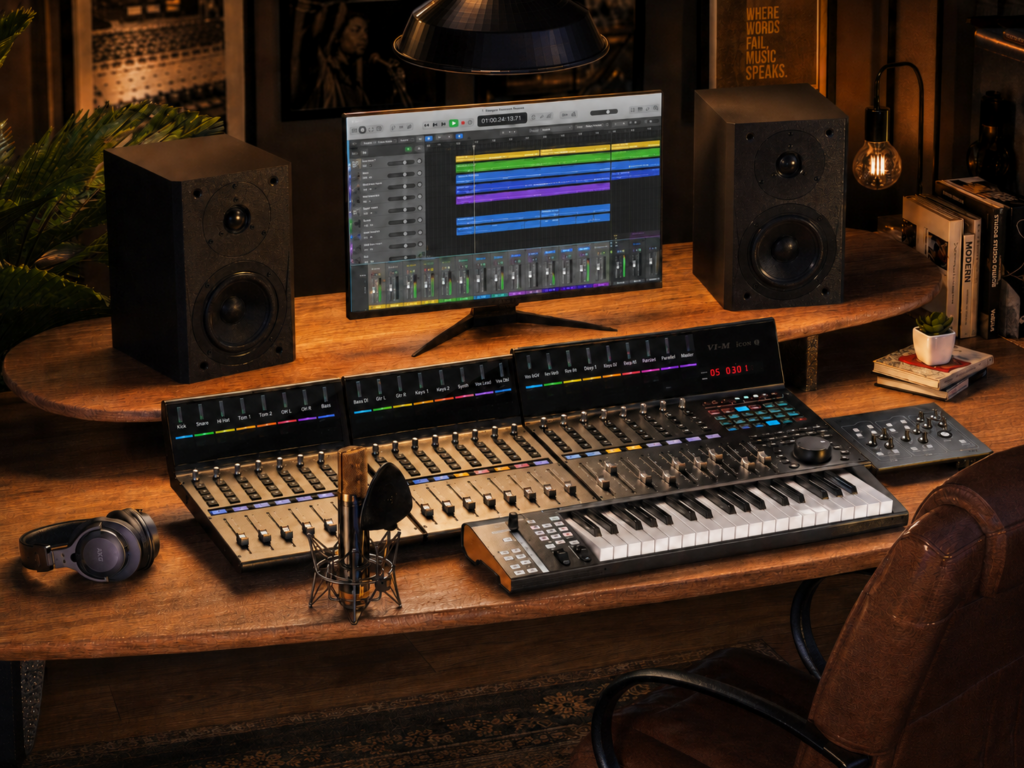
Track colors help you recognize parts of your Logic Pro session more quickly from supported iCON controllers.
When the session grows, visual feedback matters. Drums, vocals, guitars, synths, buses, and effects become easier to follow, so your focus stays on the arrangement instead of the search.
The script provides more concise display data, helping you see important session information in a cleaner way.
That means less screen-checking and more confidence while your hands stay on the controller.
The improved beat display removes ticks, allowing bar numbers over 999. That is especially helpful for long arrangements, live recordings, film work, podcasts, and detailed production sessions.
The script adds a fixed information display that can show:
This gives you a steady point of reference during the session, especially when mixing or moving quickly between tracks.
The script improves meter behavior for a smoother Logic Pro control surface experience.
For creators who mix with their hands, reliable visual feedback helps every move feel more connected.
Before installing the Logic Pro Official iCON DAW Controller Script Public Beta, please review the included QuickStart Guide and Read Me file.
For the best setup experience:
Important: Logic Pro requires this script to use Port 1, so keep both iMap and Logic Pro Control Surface Setup aligned to Port 1.
Logic Pro 11.2 can cause specific issues with MIDI Device Profiles, especially when using more than one device or moving devices around in Control Surface Setup.
Logic Pro 11.1 works as expected, and Logic Pro 12.x also works as expected.
For the best experience, we recommend upgrading from Logic Pro 11.2 to Logic Pro 12.x.
This release is a Public Beta, which means creators can begin using the script while we continue to refine the experience through real-world feedback.
Your sessions matter. Your workflow matters. Your feedback helps us make the Logic Pro experience stronger for the iCON creator community.
Ready to connect your iCON controller more deeply with Logic Pro?
Subscribe to our mailing list to stay up to date with the latest product news, updates, and information.