
Recording guitar at home has never been easier — but to get studio-quality sound, you’ll need the right gear, proper setup, and a few insider tips. Whether you’re tracking an acoustic performance with a microphone or plugging in your electric guitar, this guide will walk you through everything you need to know.
The beauty of modern home recording is that it puts creative control in your hands. You can experiment with tones, refine your performance at your own pace, and achieve results that stand up to commercial releases — all from the comfort of your living room or bedroom. This guide will walk you through everything you need to know about recording guitar at home, from choosing the right microphone and audio interface to perfecting your sound in the mix.
Before you hit the record button, it’s important to have the right tools for the job. In a home recording setup, your gear is the bridge between your guitar and the polished track you hear in your headphones. The goal isn’t just to capture your sound — it’s to capture it clearly, with enough detail and warmth that it inspires you to keep playing.
Good recording gear doesn’t have to mean expensive gear. Many affordable microphones and interfaces today offer near-studio quality, making home guitar recording more achievable than ever. The key is knowing what each piece of equipment does and how it fits into your workflow.
Think about your style:
If you play acoustic guitar, you’ll want gear that emphasizes clarity and nuance.
If you’re tracking electric guitar, the ability to handle dynamic range and tone shaping is essential.
If you plan to record both, you’ll want a versatile setup that can adapt to different recording methods.
Once you understand your needs, you can choose the components that will give you the best results without overcomplicating your setup.
An audio interface is the heart of your home studio. It converts your guitar or microphone signal into a digital format your computer can understand. For home recording, popular and reliable options include the Focusrite Scarlett series, PreSonus AudioBox, and Universal Audio Volt.
Look for an interface with at least two inputs if you plan to record guitar and vocals together.
A condenser microphone is ideal for capturing the warmth and detail of an acoustic guitar.
For best results, place the mic about 12 inches from the guitar’s 12th fret and angle it slightly toward the sound hole to balance tone and clarity.
Connect your condenser mic to the interface with an XLR cable, enabling phantom power (+48V) if required. Adjust the gain so the loudest strums don’t distort. Record in a quiet, treated space to avoid unwanted reflections — rugs, curtains, and acoustic panels can help.
Mic placement makes a big difference. Small adjustments can dramatically change the recorded sound, so experiment until you find the sweet spot that suits your song.
There are two common approaches:
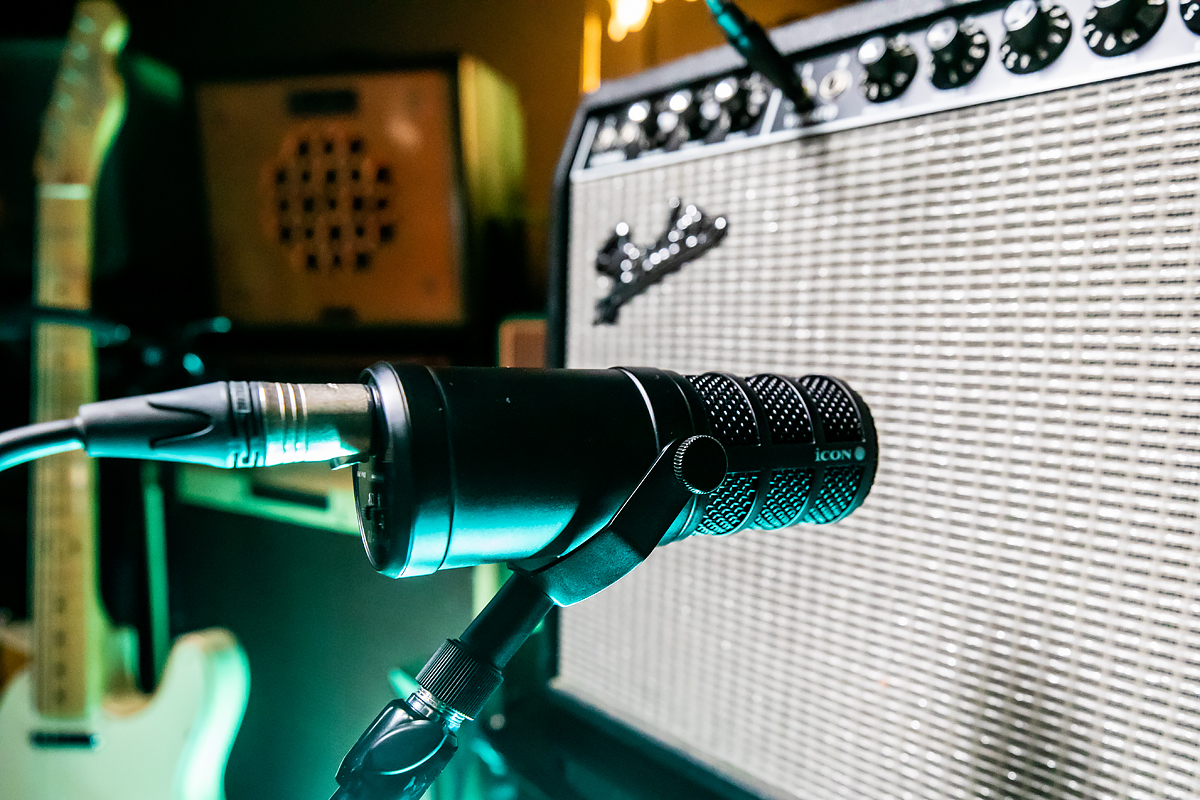
Miking Your Amp—Use a dynamic microphone like the Dynamic 7B. Position it 1–2 inches from the speaker cone, moving toward the center for brightness or toward the edge for warmth.
For a natural playing feel, reduce latency by enabling direct monitoring on your audio interface or lowering the buffer size in your DAW to 64–128 samples. This ensures there’s no distracting delay between your playing and what you hear.
EQ – Remove unnecessary low frequencies below 80Hz for a cleaner mix.
Compression – Smooth out dynamic inconsistencies in your performance.
Reverb/Delay – Add space and depth to the recording, but keep it subtle for a professional touch.
Always tune before recording.
Change to fresh strings for a brighter tone.
Record multiple takes and combine the best parts.
Minimize background noise for a cleaner signal.
With the right microphone, audio interface, and a bit of experimentation, you can capture professional-sounding guitar tracks from the comfort of your home. Whether you’re strumming a delicate acoustic melody or shredding an electric solo, proper gear and recording techniques will make all the difference.
Subscribe to our mailing list to stay up to date with the latest product news, updates, and information.